
Virtual Threads Part 2: Rules That Matter in Practice

This is Part 2 of the Virtual Threads series. The full series continues with Part 1: introduction and cautions, Part 2: workshop rules, Part 3: JDBC + Virtual Threads benchmark, and Part 4: Java 21/25 SPI design.
Part 1 covered the big picture. This post is about rules that show up immediately in code. The
examples come from bluetape4k-workshop/virtualthreads/rules. They do not stop at “use Virtual
Threads.” They also show how Virtual Threads can fail to deliver if used with the wrong habits.
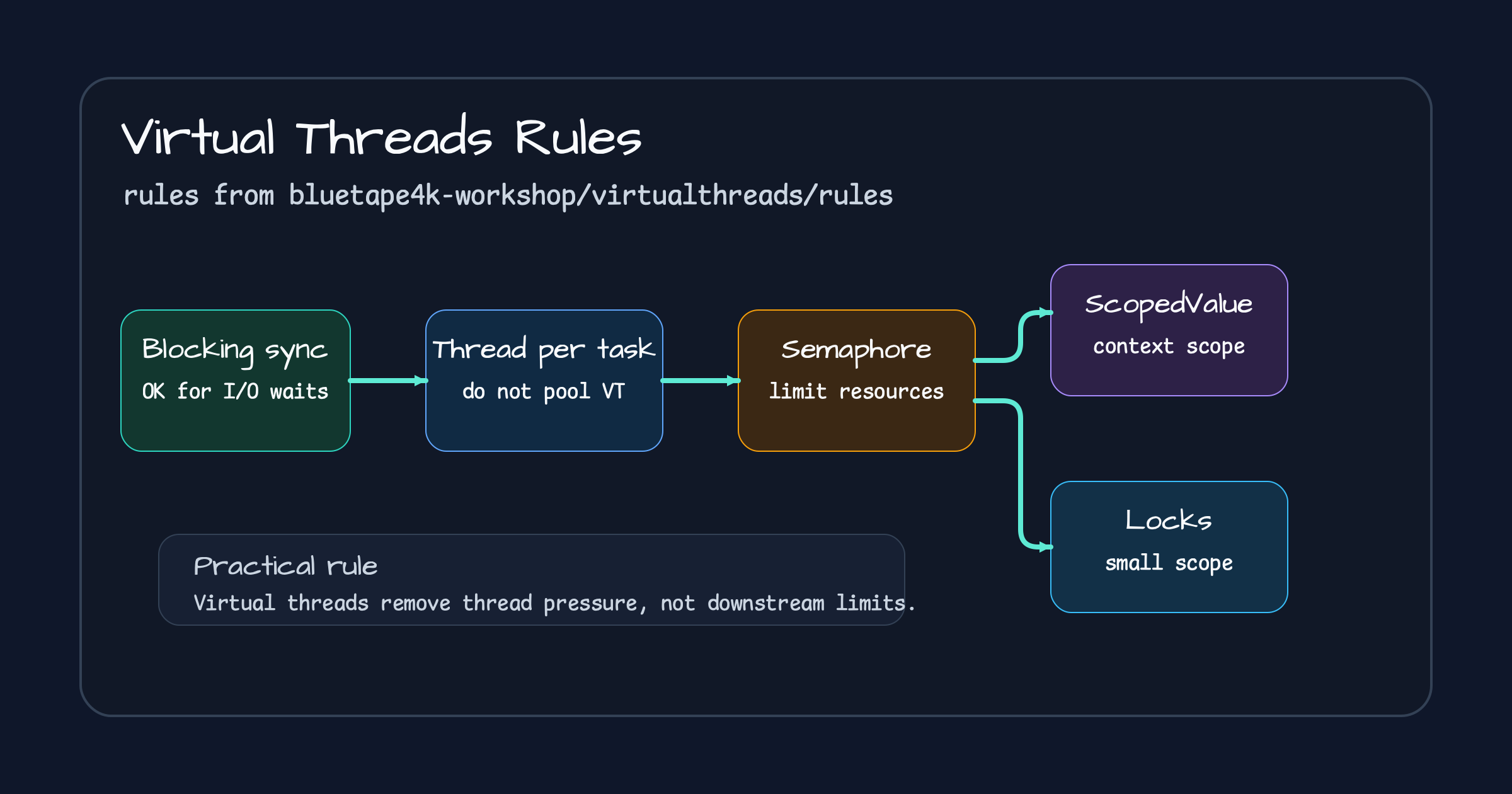
Rule 1. Keep Blocking Synchronous Code When the Work Is I/O Waiting
Section titled “Rule 1. Keep Blocking Synchronous Code When the Work Is I/O Waiting”Rule2WriteBlockingSynchronousCode shows the same flow in three forms: CompletableFuture,
Virtual Threads, and Coroutines. The nice part of the Virtual Thread version is that the control
flow still reads in a straight line.
Executors.newVirtualThreadPerTaskExecutor().use { executor ->    val price = executor.submit<Int> { readPriceInEur() }    val rate = executor.submit<Float> { readExchangeRateEurToUsd() }
    val netAmount = price.get() * rate.get()    val tax = executor.submit<Float> { readTax(netAmount) }    val grossAmount = netAmount * (1.0F + tax.get())
    grossAmount.toInt() shouldBeEqualTo 108}
This code does not try to look non-blocking. It splits blocking functions into tasks and joins
them with get() where the values are needed. For request-response work that mostly waits on
I/O, that simplicity is valuable.
Do not apply the same idea blindly to CPU-bound work. Virtual Threads do not create extra CPU cores.
Rule 2. Do Not Put Virtual Threads in a Pool
Section titled “Rule 2. Do Not Put Virtual Threads in a Pool”The message of Rule3DoNotPoolVirtualThreads is direct: Virtual Threads are not something to
reuse through pooling.
// Not recommended: putting a virtual-thread factory inside a ThreadPoolExecutor shape.Executors.newCachedThreadPool(Thread.ofVirtual().factory()).use { executor -> executor.submit { Thread.sleep(1000) }}That uses virtual threads by name, but the mindset is still pooling. The default should be a thread-per-task executor.
// Recommended: create a new virtual thread per task.Executors.newVirtualThreadPerTaskExecutor().use { executor -> executor.submit { Thread.sleep(1000) } executor.submit { Thread.sleep(1000) }}Creating Virtual Threads is cheap. The things that must be limited are downstream resources.
Rule 3. Use Semaphores, Not FixedThreadPool, to Limit Concurrency
Section titled “Rule 3. Use Semaphores, Not FixedThreadPool, to Limit Concurrency”Rule4UseSemaphoreInsteadOfFixedThreadPools shows the most important operational rule. Do not
limit concurrency by sizing a thread pool. Limit it in front of the resource you are protecting.
private val semaphore = Semaphore(8)
private fun useSemaphoreToLimitConcurrency(): String {    semaphore.acquire()    return try {        sharedResource()    } finally {        semaphore.release()    }}
The executor can still be virtual-thread-per-task.
Executors.newVirtualThreadPerTaskExecutor().use { executor -> val futures = List(100) { executor.submit { useSemaphoreToLimitConcurrency() } } futures.forEach { it.get() }}The reason is simple. You can create many Virtual Threads, but you cannot create unlimited DB connections, and external API quotas are not infinite. A semaphore makes the protected resource explicit.
Rule 4. Prefer ScopedValue Before ThreadLocal for Scoped Context
Section titled “Rule 4. Prefer ScopedValue Before ThreadLocal for Scoped Context”Rule5UseThreadLocalVariablesCarefully compares InheritableThreadLocal and ScopedValue.
ThreadLocal helps migration, but as Virtual Thread counts grow, context management cost and leak
risk grow too.
Scoped Values disappear when the scope ends.
private val scopedValue = ScopedValue.newInstance<String>()
ScopedValue.where(scopedValue, "zero").run {    scopedValue.get() shouldBeEqualTo "zero"
    ScopedValue.where(scopedValue, "one").run {        scopedValue.get() shouldBeEqualTo "one"    }
    scopedValue.get() shouldBeEqualTo "zero"}
With structured task scope, child tasks can read the scoped context.
structuredTaskScopeAll { scope -> scope.fork { scopedValue.get() shouldBeEqualTo "zero" -1 } scope.join().throwIfFailed()}There is still a boundary to understand. ScopedValue is not a magic context propagation system
for every thread creation style. Check whether the propagation boundary is structured.
Rule 5. Keep Locks Small, and Remember Java 21 Pinning
Section titled “Rule 5. Keep Locks Small, and Remember Java 21 Pinning”Rule6UseSynchronizedBlocksAndMethodsCarefully uses ReentrantLock to avoid Java 21
synchronized pinning risk around blocking sections.
private val lock = ReentrantLock()
virtualFuture {    lock.withLock {        exclusiveResource()    }}.await()
Java 25 reduces the synchronized pinning burden through JEP 491. The rule still matters.
Reduced pinning does not make long critical sections cheap. Blocking inside a long lock still
turns into a bottleneck and makes profiling harder.
The Rules Together
Section titled “The Rules Together”The virtualthreads/rules examples can be summarized like this.
| Do not | Do this instead |
|---|---|
| Pool Virtual Threads | Use newVirtualThreadPerTaskExecutor() |
| Use FixedThreadPool for concurrency limits | Use Semaphore around downstream resources |
| Store large context in ThreadLocal | Use ScopedValue or explicit context |
| Block inside long locks | Keep lock scopes small; use ReentrantLock when it fits |
| Push CPU-bound work into Virtual Threads | Design CPU-bound execution around core count |
Virtual Threads let existing blocking code work with minimal changes. That does not mean limits, context, and locks can be treated casually. The easier model is also easier to misuse. Part 3 applies these rules to a database benchmark.
Comments
Leave a note or reaction with your GitHub account.