
From Pure JVM to libvips: Benchmarking Image Processing in bluetape4k
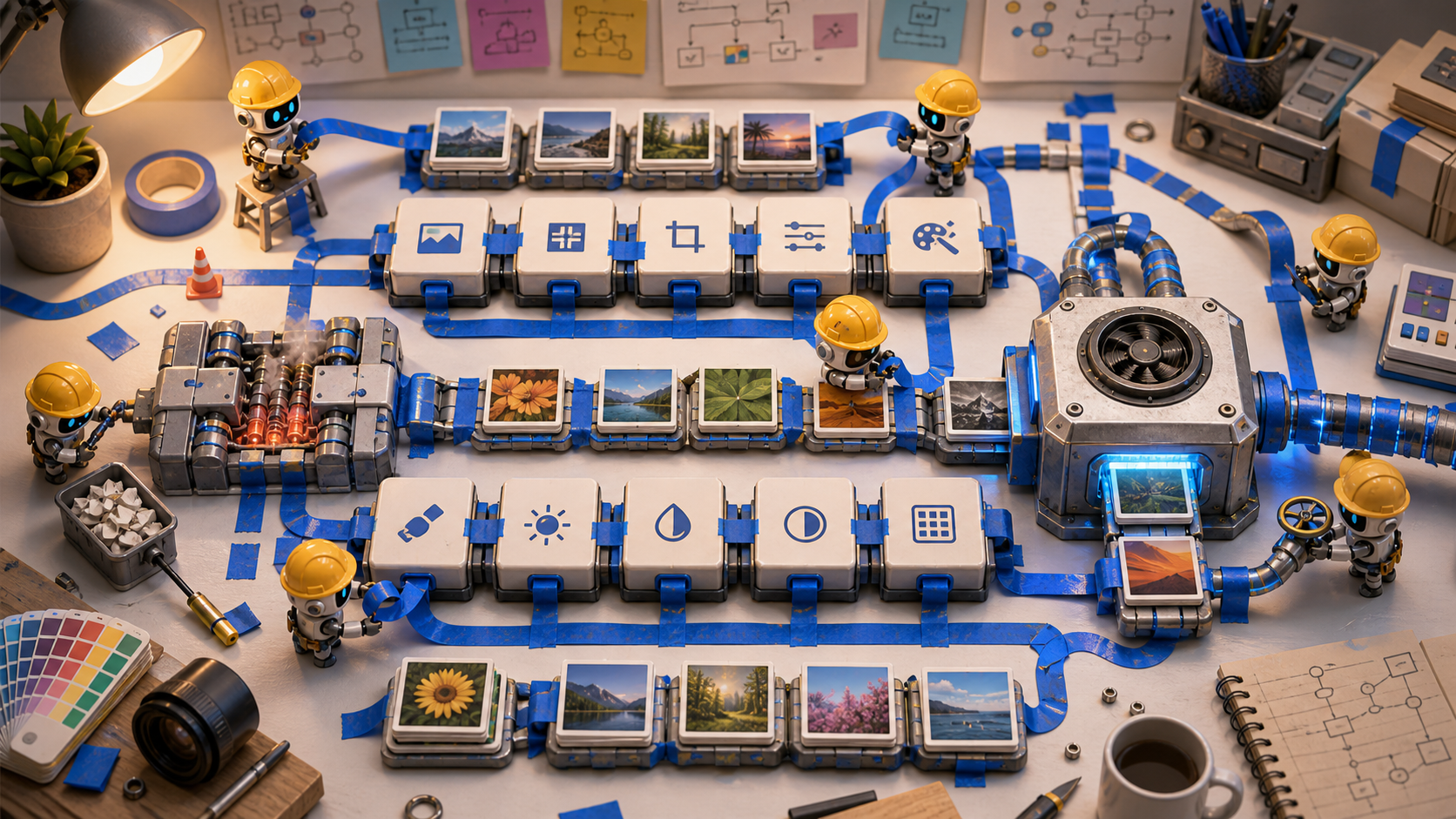
bluetape4k-image provides two image-processing paths: a pure-JVM scrimage path and a native
high-throughput path backed by libvips.
Neither path is always the right answer. scrimage is simple to deploy and has no native
dependency. For high-throughput thumbnail, resize, and encode workloads, libvips’ demand-driven
pipeline can be much more efficient.
This post uses the images-benchmark results to answer three questions:
- How large is the gap between the pure-JVM baseline and the native pipeline?
- How should we interpret Java 21 JNI and Java 25 FFM backends?
- Where does this difference matter in an actual service workflow?
Benchmark Setup
Section titled “Benchmark Setup”The benchmarks live in the images-benchmark module of bluetape4k-image. The Gradle task is
the benchmarkBenchmark task generated by kotlinx-benchmark.
./gradlew :bluetape4k-images-benchmark:benchmarkBenchmark \ -Pvips.impl=java25 --console=plainThe metric is JMH AverageTime, measured in ms/op. Lower is better.
The macOS Java 25 results used in this post are recorded in these reports:
- Image Processing JMH Benchmark Results - 2026-05-28 Natural Photos
- Vips Backend Comparison Benchmark
Benchmark Input Matters
Section titled “Benchmark Input Matters”The first thing to look at is not the number, but the input image. Older headline numbers were measured with a single-color synthetic fallback. That is useful for smoke checks, but it does not represent real codec work such as texture, noise, and chroma variation.
This run copied natural photo fixtures from bluetape4k-image/images/src/test/resources/images/
into images-benchmark/src/main/resources/bench/, committed them as classpath resources, and
reran the same benchmarks.
cafe.jpg | landscape.jpg |
|---|---|
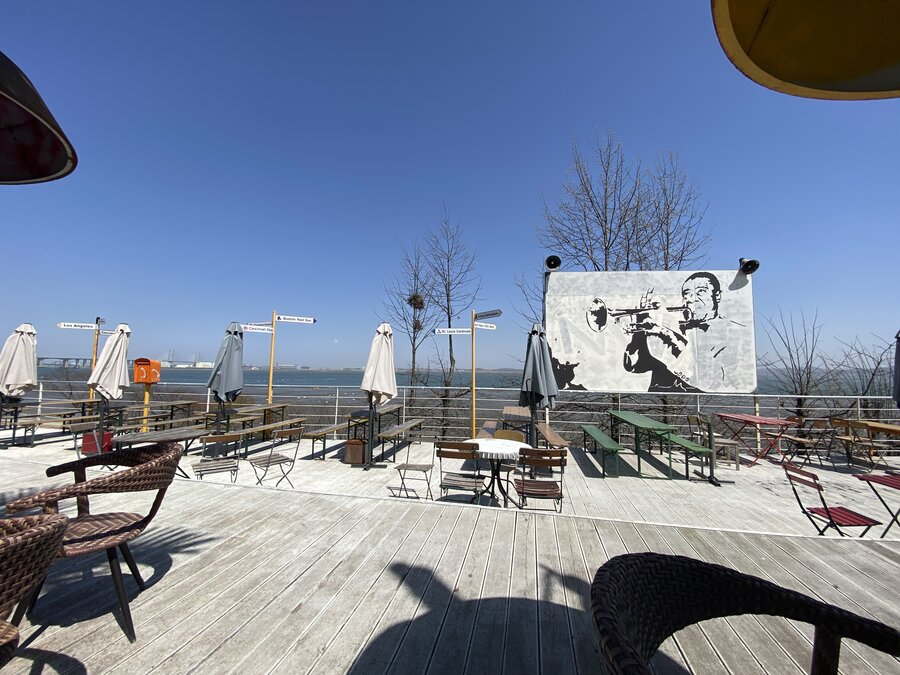 | 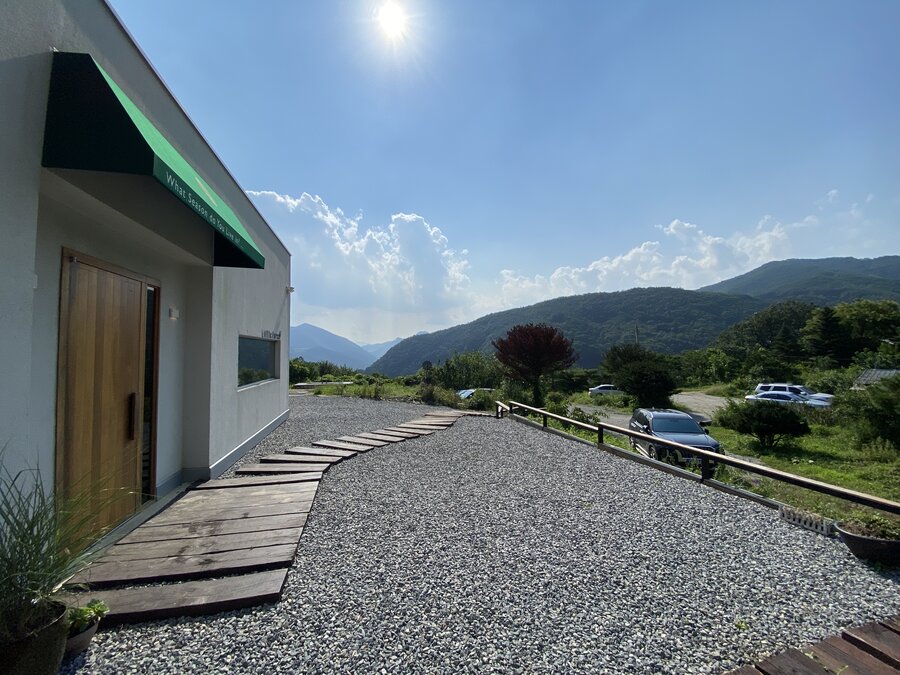 |
| 4032x3024 JPEG, 2.9 MiB | 4032x3024 JPEG, 3.4 MiB |
These numbers are still not universal image laws. They are results for two natural-photo JPEGs. Document scans, flat graphics, animated images, and small UI assets can have different decode/resize/encode cost shapes. Still, this is much closer to real photo-pipeline decisions than the single-color fallback.
Same Workload, Two Paths
Section titled “Same Workload, Two Paths”The resize benchmark processes the cafe and landscape natural photo fixtures in the same
way.
@Benchmarkfun scrimage_scaleTo(state: VipsBenchmarkState, bh: Blackhole) {    val resized = BenchmarkImageSets.naturalPhoto(state.imageName)        .scaleTo(targetWidth, targetHeight)    bh.consume(resized)}
@Benchmarkfun vips_resize(state: VipsBenchmarkState, bh: Blackhole) {    if (!state.vipsAvailable) {        bh.consume(null)        return    }    state.createVipsImage(state.photo4kJpegBytes).use { img ->        val resized = img.resize(targetWidth, targetHeight)        bh.consume(resized)    }}
Full source: ImageResizeBenchmark.kt
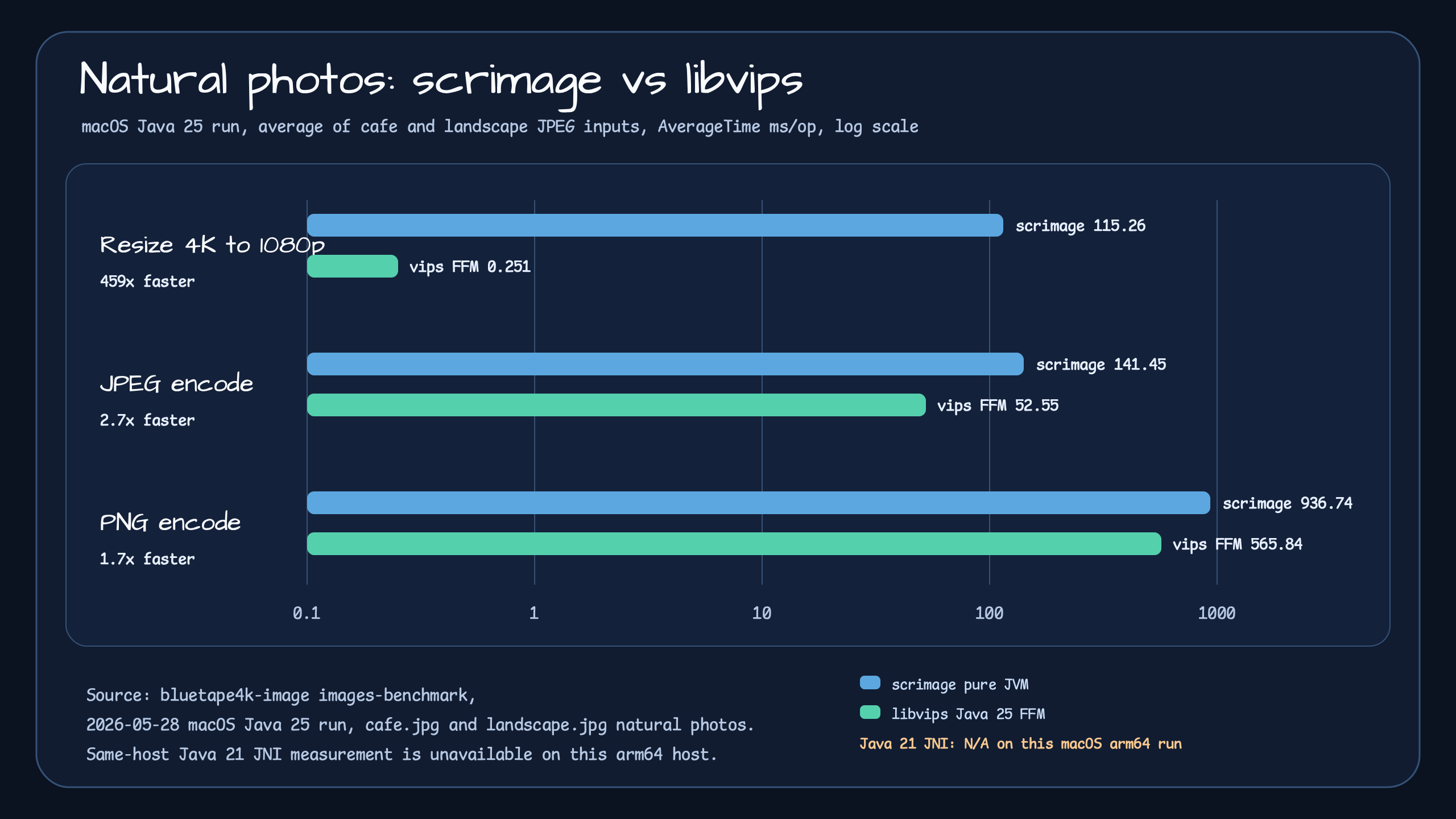
Resize is where the difference is most dramatic.
| Workload | Input | scrimage | libvips Java 25 FFM | Result |
|---|---|---|---|---|
| 4K resize to 1920x1080 | cafe | 114.89 ms/op | 0.257 ms/op | 446x faster |
| 4K resize to 1920x1080 | landscape | 115.64 ms/op | 0.244 ms/op | 473x faster |
| JPEG encode | cafe | 137.95 ms/op | 58.35 ms/op | 2.4x faster |
| JPEG encode | landscape | 144.96 ms/op | 46.75 ms/op | 3.1x faster |
| PNG encode | cafe | 884.10 ms/op | 585.29 ms/op | 1.5x faster |
| PNG encode | landscape | 989.37 ms/op | 546.39 ms/op | 1.8x faster |
scrimage works inside the JVM around BufferedImage. That is portable and easy to understand,
but large images expose memory allocation and pixel-processing costs quickly.
libvips uses a lazy, demand-driven pipeline. For operations such as resize, where only the output
pixels and their source regions matter, that structural difference is huge.
Encode Is Less Dramatic, Still Meaningful
Section titled “Encode Is Less Dramatic, Still Meaningful”The encode benchmark follows the same shape. The pure-JVM path uses a scrimage writer, while the
native path calls VipsImage.toBytes().
@Benchmarkfun scrimage_encodeJpeg(state: VipsBenchmarkState, bh: Blackhole) {    val bytes = BenchmarkImageSets.naturalPhoto(state.imageName).bytes(JPEG_WRITER)    bh.consume(bytes)}
@Benchmarkfun vips_encodeJpeg(state: VipsBenchmarkState, bh: Blackhole) {    if (!state.vipsAvailable) {        bh.consume(null)        return    }    state.createVipsImage(state.photo4kJpegBytes).use { img ->        val bytes = img.toBytes(VipsImageFormat.JPEG)        bh.consume(bytes)    }}
Full source: ImageEncodeBenchmark.kt
Encode is not as dramatic as resize. JPEG is about 2.4-3.1x faster, and PNG is about 1.5-1.8x faster. That still matters when one upload creates several derivatives.
Java 21 JNI vs Java 25 FFM
Section titled “Java 21 JNI vs Java 25 FFM”bluetape4k-image provides two native backends.
| Backend | Runtime | Role |
|---|---|---|
images-vips-java21 | JVips / JNI | Native backend for Java 21 environments |
images-vips-java25 | FFM / Panama | Recommended high-performance backend for Java 25 environments |
In this macOS arm64 run, the Java 21 JNI lane is marked N/A. That does not mean Java 21 JNI is
slow. It means the bundled JVips dylib on this host was x86_64 while the JVM was arm64, so we
could not produce a native measurement on the same machine.
The conclusion is therefore not “Java 21 JNI is slow.” The more accurate conclusion is:
- Java 25 FFM is the measured high-performance path on this host.
- Java 21 JNI should be measured on Linux CI or another architecture-compatible host.
- A chart should not mix fresh macOS Java 25 results with old Linux Java 21 numbers and present them as a current apples-to-apples comparison.
Backend selection is handled reflectively by VipsBenchmarkState based on the runtime
classpath.
Full source: VipsBenchmarkState.kt
From Benchmark to a Service Workflow
Section titled “From Benchmark to a Service Workflow”Benchmark numbers alone do not show where the change applies in a real system. That is why
bluetape4k-workshop includes a production-style example.
Example: image-processing-advanced-workflow
The example is a Spring Boot 4 upload workflow.
- Validate file size, content type, and magic bytes.
- Store the original image object.
- Generate WebP derivatives with the Java 25
libvipsbackend. - Store the original and variants in S3 or local storage.
- Return public URLs and processing metadata.
The actual derivative generation point is short:
return suspendFfmVipsImageOf(bytes).use { image -> image.thumbnail(variant.maxDimension).use { thumbnail -> val output = thumbnail.suspendToBytes(VipsImageFormat.WEBP, webpOptions) ProcessedImageVariant( name = variant.name, key = keyFactory.variantKey(imageId, variant.name, variant.extension), bytes = output, width = thumbnail.width, height = thumbnail.height, contentType = variant.contentType, ) }}Full source: DerivativeProcessor.kt
This is where the benchmark meets the service. A service can create several variants from one
upload, and each variant performs both resize and encode. On that path, the difference
between scrimage and libvips becomes more visible than a single number suggests.
Practical Guidance
Section titled “Practical Guidance”For simple image processing, or for environments where native dependencies should be avoided,
the scrimage path in images is a good starting point. It is easy to deploy and only needs the
JVM.
But images-vips-java25 is worth considering first when:
- uploads create multiple thumbnails, previews, or WebP variants;
- 4K or larger originals are common;
- resize latency limits request time or worker throughput;
- Java 25 is available and
libvipsnative dependencies can be operated safely.
In Java 21 environments, images-vips-java21 is still an option. But JNI native artifacts and
host architecture must be verified. On a host such as macOS arm64 where the bundled native
artifact does not match, mark benchmark and integration results as N/A and measure on Linux or
an architecture-compatible host instead.
AVIF and HEIC follow the same rule. A format constant in the API does not guarantee that decode
or encode works on a host. Actual support depends on the installed libvips, libheif, and
AV1/HEVC codec build.
Representative Source Links
Section titled “Representative Source Links”Use these links as an entry map rather than a flat appendix.
Benchmark code:
- ImageResizeBenchmark.kt compares
cafeandlandscape4K-to-1080p resize workloads through scrimage and libvips. - ImageEncodeBenchmark.kt keeps encode workloads symmetric so JPEG and PNG results can be read against the same natural photo fixtures.
- VipsBackendBenchmark.kt isolates the backend-level libvips calls used to compare JNI and FFM behavior.
- VipsBackendEncodeBenchmark.kt focuses on native encode paths where codec and host library support matter.
- VipsBenchmarkState.kt selects the active backend at runtime and records when a backend is unavailable instead of fabricating a number.
- BenchmarkImageSets.kt loads the
cafeandlandscapenatural photo fixtures and keeps synthetic fallback only for optional document/thumbnail resources that are not committed yet.
Reports and raw evidence:
- benchmark-results-2026-05-28-natural-photos.md is the human-readable benchmark report used for the table and chart in this post.
- vips-backend-comparison.md documents the Java 21 JNI vs Java 25 FFM comparison policy, including the macOS arm64
N/Alane. - raw macOS Java 25 benchmark JSON is the machine-readable
kotlinx-benchmarkoutput behind the report.
Workshop example:
- image-processing-advanced-workflow shows the full upload-to-derivative service shape.
- ImageDerivativeWorkflowService.kt coordinates validation, storage, derivative generation, and response metadata.
- DerivativeProcessor.kt is the direct bridge from the benchmarked libvips operations to a production-style variant pipeline.
- UploadImageValidator.kt shows the guardrail layer before native image processing starts.
- ImageDerivativesController.kt exposes the workflow as an HTTP upload endpoint.
Closing
Section titled “Closing”scrimage and libvips are less competitors than two operating modes. The pure-JVM path is
simple and portable. The native path requires more operational preparation, but the performance
gap is clear in high-volume image pipelines.
The goal of bluetape4k-image is not to force one answer. A service can start with the pure-JVM
path and move to a libvips backend when throughput starts to matter, without leaving the same
ecosystem.
Comments
Leave a note or reaction with your GitHub account.