
Image Learning Path
Archived Based on Image release 0.3.0
The manual includes selection rules, API explanations, runnable examples, failure diagnosis, and operational constraints. Enter at the first unresolved decision instead of reading all projects alphabetically.
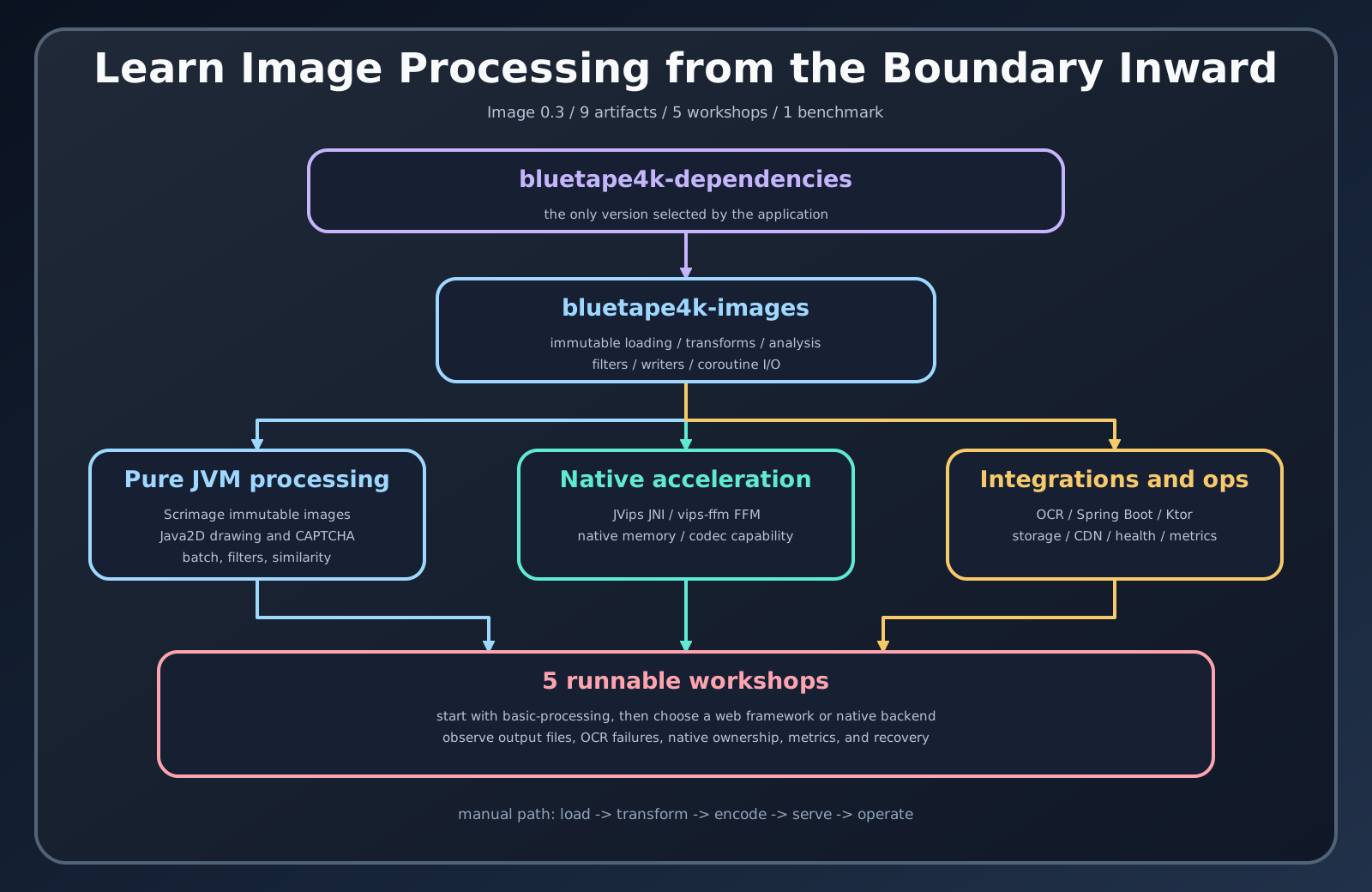
1. Complete portable JVM processing
Section titled “1. Complete portable JVM processing”Read Getting started, the immutable image model, and loading and writing. Run the basic processing workshop and prove one load-transform-write path.
2. Add only the capability you need
Section titled “2. Add only the capability you need”Continue to transforms and filters or analysis and similarity. If the service needs challenges or text extraction, add CAPTCHA or OCR; these are separate dependencies and runtime concerns.
3. Choose the application boundary
Section titled “3. Choose the application boundary”Use Spring Boot versus Ktor. Complete one framework workshop:
- Ktor image API for thumbnail and CAPTCHA routes;
- Spring Boot image API for storage, upload, and download;
- the matching Ktor OCR or Spring Boot OCR workshop after host Tesseract is ready.
4. Move to native processing only with a reason
Section titled “4. Move to native processing only with a reason”Read backend selection, Vips API, and native lifecycle. Choose Java 21 JNI or Java 25 FFM from the actual deployment JDK and package constraints. Close every derived image.
5. Validate the production boundary
Section titled “5. Validate the production boundary”Finish with testing and operations, failure diagnosis, and performance selection. Record input limits, native prerequisites, resource ownership, storage policy, and the benchmark or load test that supports the chosen backend.
At the end, the application should answer: which backend performs each task, who closes its resources, which inputs are rejected before decode, and which test proves the deployment boundary.