
Ktor 연동
보존 버전 Graph 0.5.1 릴리스 기준
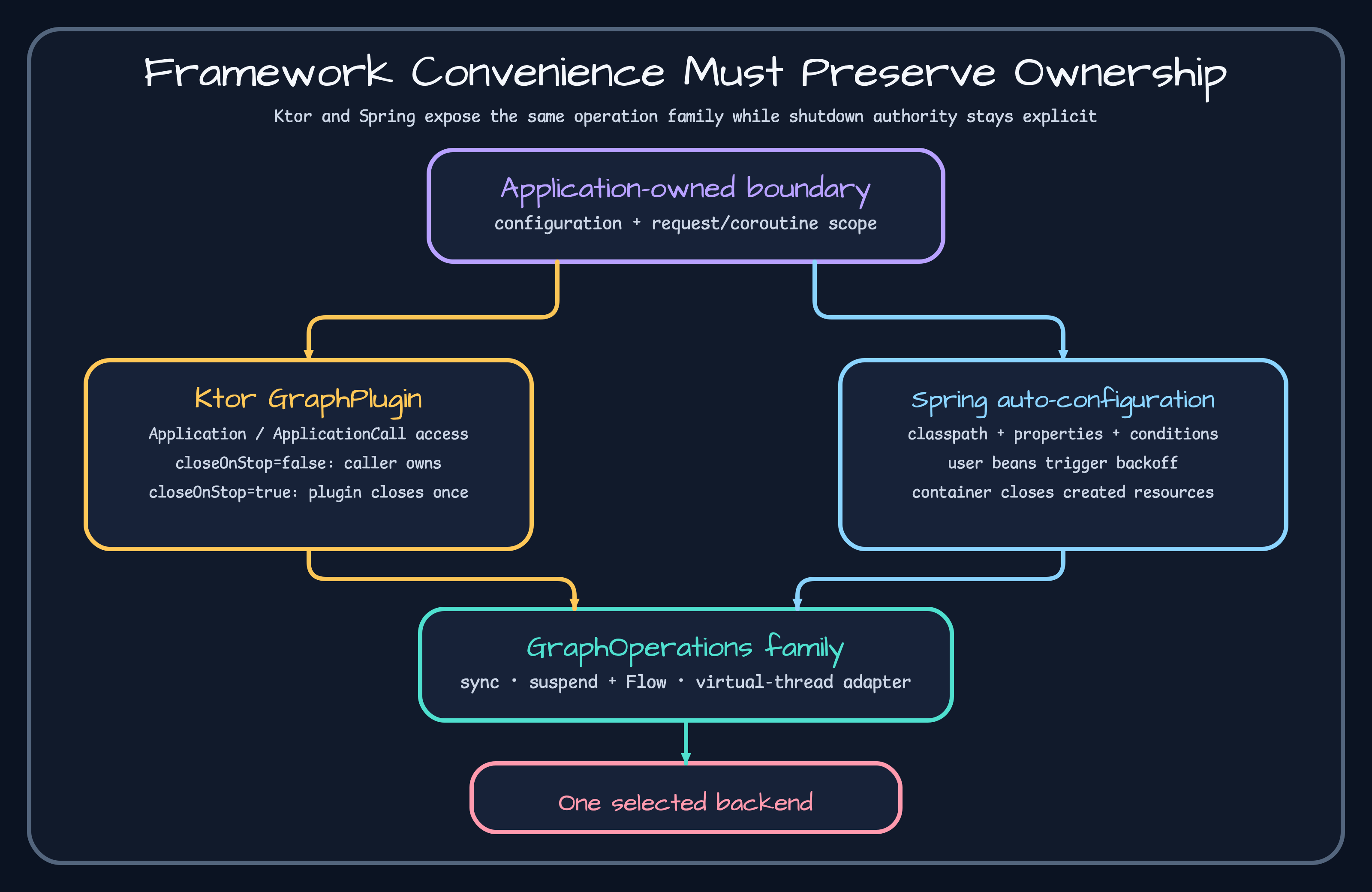
Ktor 애플리케이션에 GraphPlugin을 한 번 설치하고 백엔드를 고르거나 동기·코루틴 operations를 넘긴다. 아무 백엔드도 정하지 않으면 설치 단계에서 실패한다. 만들어진 GraphPluginState는 application attributes에 저장된다. 소스: GraphPlugin.kt, GraphPluginConfig.kt.
fun Application.module() { install(GraphPlugin) { tinkerGraph() } routing { /* graphOperations() / graphSuspendOperations() */ }}생명주기는 요청 단위가 아니라 애플리케이션 단위다. ApplicationStopped가 오면 설정 과정에서 등록한 close action만 실행한다. 호출자가 넘긴 Driver와 DataSource는 호출자가 계속 소유한다. 시작, attribute 조회, 한 번만 닫히는지는 GraphPluginTest.kt와 BackendGraphPluginRuntimeTest.kt가 검증한다.
경로 처리 오류를 보기 전에 설치 오류부터 확인한다. 운영에서는 stop event, driver pool, 요청 취소, handler가 blocking/코루틴 모델에 맞는 API를 쓰는지 관찰한다.
의존성과 플러그인을 설정한다
섹션 제목: “의존성과 플러그인을 설정한다”dependencies { implementation(platform("io.github.bluetape4k:bluetape4k-dependencies:<ecosystem-version>")) implementation("io.github.bluetape4k:bluetape4k-graph-ktor") implementation("io.github.bluetape4k:bluetape4k-graph-neo4j")}
fun Application.module() { install(GraphPlugin) { neo4j { uri = "bolt://localhost:7687" username = "neo4j" password = System.getenv("NEO4J_PASSWORD") database = "neo4j" } } routing { get("/people/count") { call.respondText(call.graphSuspendOperations().countVertices("Person").toString()) } }}시작과 요청 결과를 확인한다
섹션 제목: “시작과 요청 결과를 확인한다”설치가 끝나면 플러그인 상태가 생기고 라우트는 현재 정점 수를 문자열로 돌려줘야 한다. install(GraphPlugin) {}처럼 백엔드를 빼면 시작 단계에서 A graph backend must be selected...로 실패해야 한다. 플러그인을 설치하지 않고 접근자를 부르면 GraphPlugin is not installed...가 나와야 한다.
managed neo4j { ... }는 operations와 Driver를 만들고 ApplicationStopped에서 닫는다. 이미 만든 operations 한 쌍을 넘길 때는 GraphPluginConfig.operations의 별도 계약을 따른다.
// 기본값: 호출자나 DI 컨테이너가 두 operations를 닫는다.install(GraphPlugin) {    operations(sync, suspend) // closeOnStop = false}
// 명시적 위임: ApplicationStopped 때 플러그인이 operations를 닫는다.install(GraphPlugin) {    operations(sync, suspend, closeOnStop = true)}
closeOnStop = true일 때만 종료 작업을 등록하고 두 operations를 객체 정체성으로 중복 제거해 각각 한 번 닫는다. 기본값 false에서는 플러그인이 두 operations를 닫지 않는다. 어느 쪽이든 operations를 만들 때 사용한 Driver는 별도의 호출자 소유 자원이다. graph operations는 주입받은 Driver를 닫지 않으므로 호출자가 직접 관리한다.
./gradlew :bluetape4k-graph-ktor:test --tests '*GraphPluginTest' --tests '*BackendGraphPluginRuntimeTest'종료 로그는 보이는데 pool이 남아 있으면 close hook을 더 달지 말고 어떤 설정 경로가 Driver를 만들었는지부터 확인한다. 호출자 소유 자원을 두 번 닫는 것도 장애다.